


















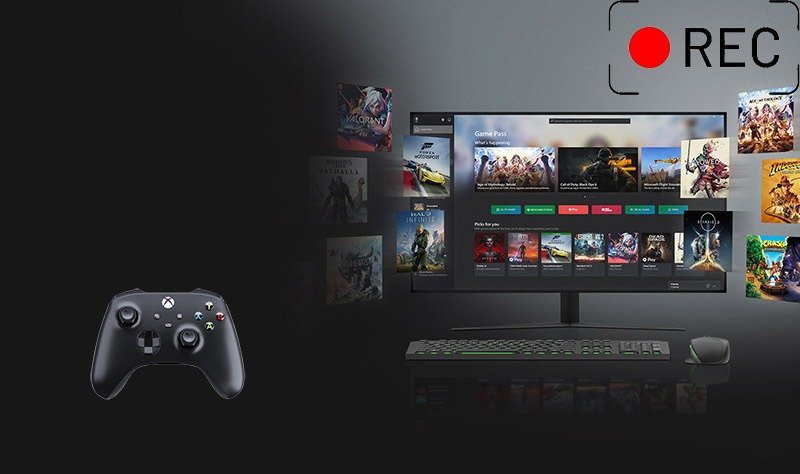
Recording gameplay has become almost as important as playing the game itself. Gamers record their sessions for many reasons: sharing epic wins, creating tutorials, analyzing mistakes, streaming to an audience, or simply saving memorable moments. With platforms like YouTube, Twitch, and TikTok thriving on gaming content, the ability to record gameplay smoothly and efficiently is no longer optional for many players—it’s essential.
Today, gamers have two main options when choosing a game recorder: built-in recorders that come with your system or graphics card, and third-party software designed specifically for recording. Built-in tools promise convenience and simplicity, while third-party solutions often offer deeper customization and higher-quality output. But which one is actually better for your needs?
In this article, we’ll explore popular built-in and third-party recorders, compare their features, and help you decide which option makes the most sense for your gaming style and hardware.
Part 1: Popular Built-in Gameplay Recorders
Built-in gameplay recorders are tools already included in your operating system or GPU drivers. They are designed to be lightweight and easy to use, making them appealing to casual gamers.
1. Xbox Game Bar
Xbox Game Bar is Windows’ default gameplay recording solution. Built directly into Windows 10 and Windows 11, it allows users to capture gameplay footage with minimal setup. With a simple keyboard shortcut, players can start or stop recording instantly.
Xbox Game Bar supports background recording, meaning you can save the last few minutes of gameplay retroactively. It also includes basic audio controls, performance overlays, and screenshot functionality. However, it lacks advanced encoding options and customization features. For players who want a quick and hassle-free way to record short clips, Xbox Game Bar does the job—but it may feel limiting for content creators.
2. NVIDIA ShadowPlay
NVIDIA ShadowPlay is a built-in recorder available to users with NVIDIA graphics cards through the GeForce Experience software. It’s known for its impressive performance efficiency, as it uses GPU-based hardware encoding to minimize frame rate drops.
ShadowPlay offers instant replay, high-resolution recording, and support for up to 4K footage at high frame rates. The interface is clean, and the setup process is straightforward for NVIDIA users. However, customization options remain relatively basic, and users without NVIDIA GPUs can’t access it at all.
3. AMD ReLive
AMD ReLive serves a similar purpose for AMD GPU users. Integrated into AMD’s Radeon Software, it enables gameplay recording, live streaming, and instant replay features. ReLive performs well on compatible systems and offers decent control over resolution and bitrate.
That said, stability and feature polish can vary depending on driver versions. Like ShadowPlay, it is limited to a specific hardware ecosystem, making it inaccessible to gamers without AMD graphics cards.
Part 2: Popular Third-Party Gameplay Recorders
Third-party gameplay recorders are independent applications designed to work across different systems and hardware configurations. These tools often provide more flexibility and advanced features.
1. Leawo Free Screen Recorder
Leawo Free Screen Recorder stands out as a powerful yet accessible option among third-party tools. Unlike many built-in recorders, it offers precise control over recording areas, audio sources, and output formats. Gamers can capture full-screen gameplay, specific windows, or custom regions without performance hiccups.
This software is especially appealing to players looking for a best game recorder that balances ease of use with advanced functionality. Leawo Free Screen Recorder supports high-quality video output, system and microphone audio recording, and even scheduled recordings. For those searching for reliable free pc game recorders, it delivers impressive results without overwhelming users.
2. ShareX
ShareX is a free, open-source screen recording and screenshot tool that appeals to more tech-savvy users. It offers a wide range of recording modes, including screen capture, window capture, and GIF creation.
While ShareX is extremely powerful, its interface can be intimidating for beginners. The sheer number of settings and options may feel overwhelming, but advanced users will appreciate its flexibility. ShareX is ideal for gamers who want full control over their recording workflow and don’t mind spending time on configuration.
3. Fraps
Fraps is one of the oldest names in gameplay recording and was once considered the gold standard. It offers straightforward recording with real-time FPS overlays and benchmarking tools.
However, Fraps shows its age. It produces very large video files, lacks modern encoding options, and hasn’t seen significant updates in years. While still functional, it’s best suited for older games or users who prefer simplicity over efficiency.
Part 3: Built-in vs Third-Party Recorders: Feature Comparison
When comparing built-in and third-party gameplay recorders, several key factors come into play.
Setup Difficulty:
Built-in recorders win in simplicity. Tools like Xbox Game Bar and ShadowPlay require little to no installation. Third-party recorders may take longer to set up, but they often reward users with more control.
Recording Quality:
Third-party tools generally offer superior quality options. They allow adjustments to bitrate, codec, resolution, and frame rate. Built-in recorders are optimized for convenience rather than professional-grade output.
Performance Impact:
Built-in recorders are designed to be lightweight and use hardware acceleration efficiently. However, well-optimized third-party tools like Leawo Free Screen Recorder can perform just as well, even during long sessions.
Advanced Settings:
This is where third-party recorders shine. Features like custom overlays, multiple audio tracks, webcam integration, and scheduled recording are rarely available in built-in tools.
File Management:
Third-party recorders often provide better control over output formats and file compression. Built-in recorders tend to save files in fixed formats and locations.
Part 4: Which Option Is Better for You?
The best choice depends on how and why you record gameplay.
Casual Gamers:
If you only want to capture occasional highlights or funny moments, built-in recorders are more than enough. Xbox Game Bar or ShadowPlay can handle quick recordings with minimal effort.
Streamers and YouTubers:
Content creators need flexibility, quality, and consistency. A dedicated game recorder like Leawo Free Screen Recorder or ShareX offers the tools necessary to produce polished videos and maintain creative control.
Low-End vs High-End PCs:
Low-end systems may benefit from built-in recorders due to their optimized performance. High-end PCs, on the other hand, can fully utilize third-party software without noticeable performance drops.
Long Gameplay Sessions:
For recording extended sessions, third-party tools are generally more reliable. They offer better file handling, stable performance, and options to prevent massive file sizes.
Part 5: Conclusion
Recording gameplay has never been easier, but choosing the right tool makes a big difference. Built-in recorders are convenient, lightweight, and perfect for quick captures. However, they often fall short when it comes to customization and professional-quality output.
Third-party tools, especially options like Leawo Free Screen Recorder, provide the flexibility and advanced features that serious gamers and creators need. Whether you’re searching for the best game recorder, experimenting with free pc game recorders, or simply looking to record gameplay more effectively, understanding your needs is the key.
In the end, built-in recorders are great starting points, but third-party solutions unlock the full potential of gameplay recording. Choose the tool that fits your goals, and start capturing your best gaming moments with confidence.